Points of interest (POIs)
Anchors, complementary businesses, and competitors to understand local context.


Keep one view of your candidate locations and priorities, so planning and rollout decisions stay consistent across regions.
See where your current footprint is strong, where it overlaps, and where demand is underserved, before you invest time in individual sites.
Evaluate sites on a common basis with consistent context, so decisions hold up across teams, markets, and expansion cycles.
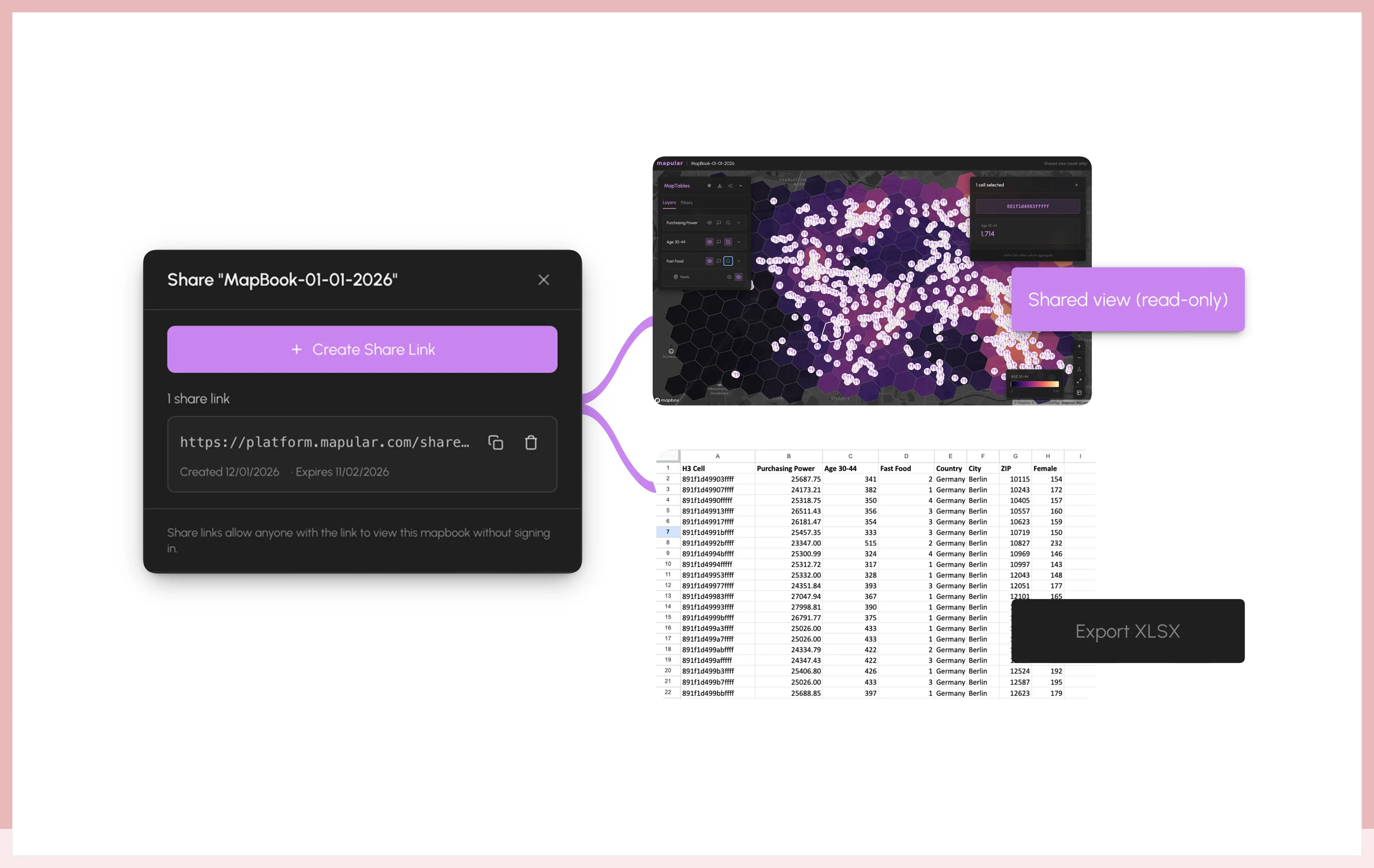
Share ranked site lists, maps, and exports that make the rationale visible and easier to review with finance, leadership, and franchise partners.
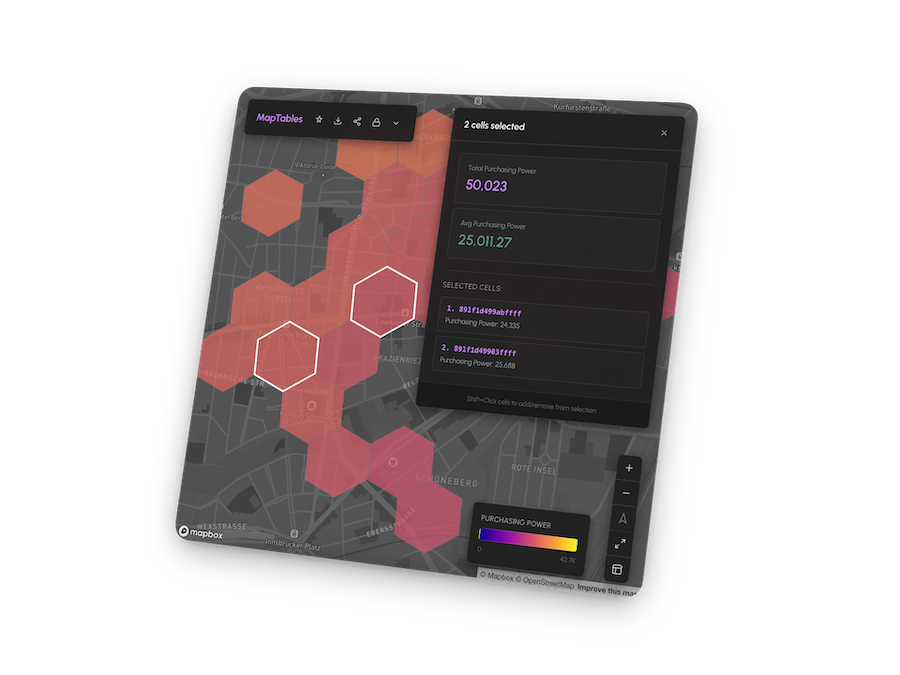
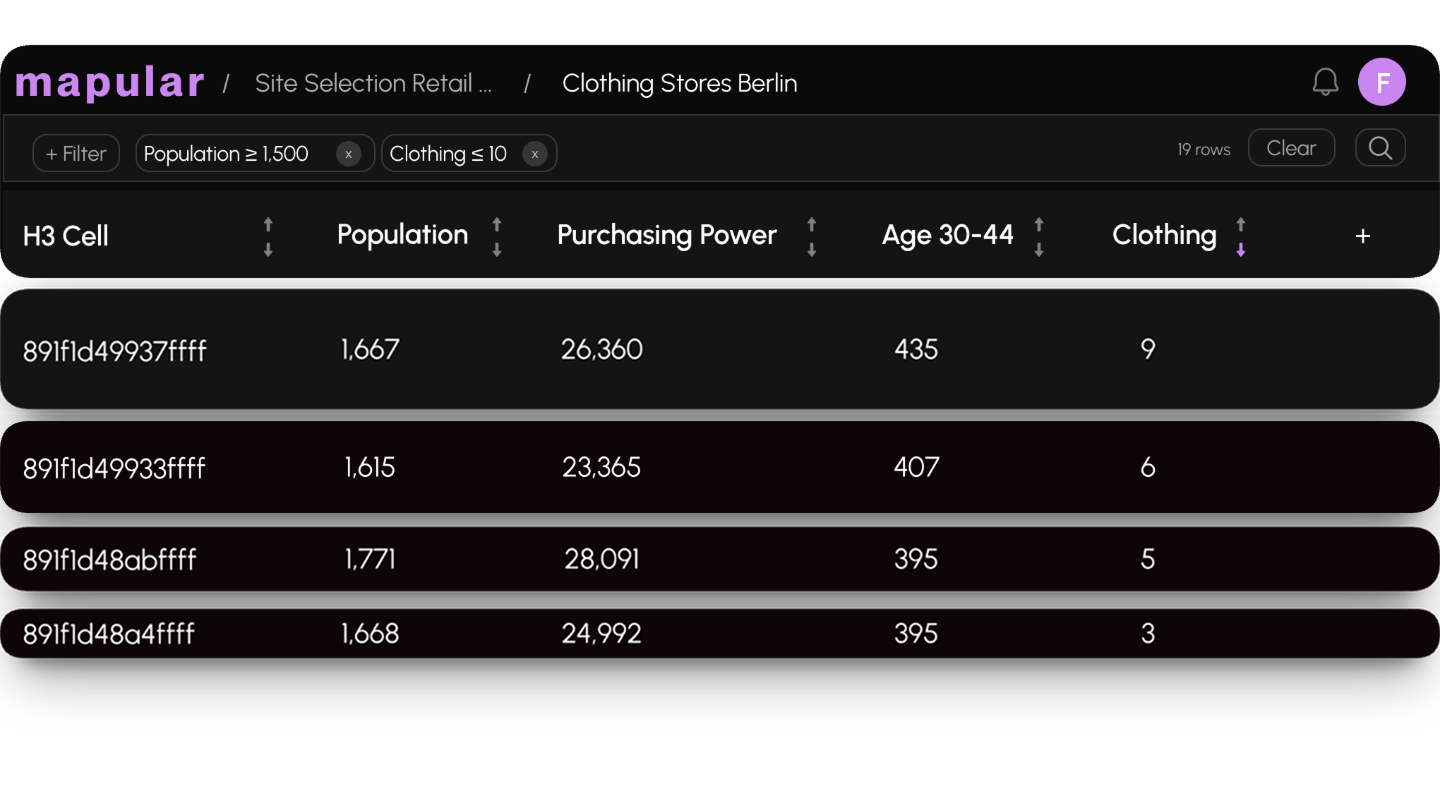
Use familiar spreadsheet-native operations like adding columns, or filters to analyze built-in market, demographic, and location data. Integrate third-party sources, apply simple transformations, and combine everything with your own data, all kept in sync with a live map.

Identify priority markets and zones before evaluating individual sites.
Combine ready-to-use market and demographic data with your own store locations, competitors, and anchor locations to see where demand is underserved and where expansion will have the highest impact.

Compare candidate locations using the same criteria, regardless of region or source.
Each location is viewed in context, and evaluated against competition, complementary points of interest, and socio-demographic profiles within its catchment, so decisions are based on comparable, location-specific insights.

Apply consistent requirements and scoring logic to turn long lists of potential sites into clear, ranked priorities.
Create ranked site shortlists that help your team align quickly and focus on the strongest expansion opportunities first, across regions and rollout cycles.

Move from analysis to approval with clear, review-ready outputs designed for rollout and investment discussions.
Create ranked site shortlists, coverage and white-space views, and export your data directly to spreadsheets to continue working in your existing tools.
When decisions involve multiple stakeholders, share the exact map view with finance, leadership, or external partners, so everyone reviews the same context.
Anchors, complementary businesses, and competitors to understand local context.
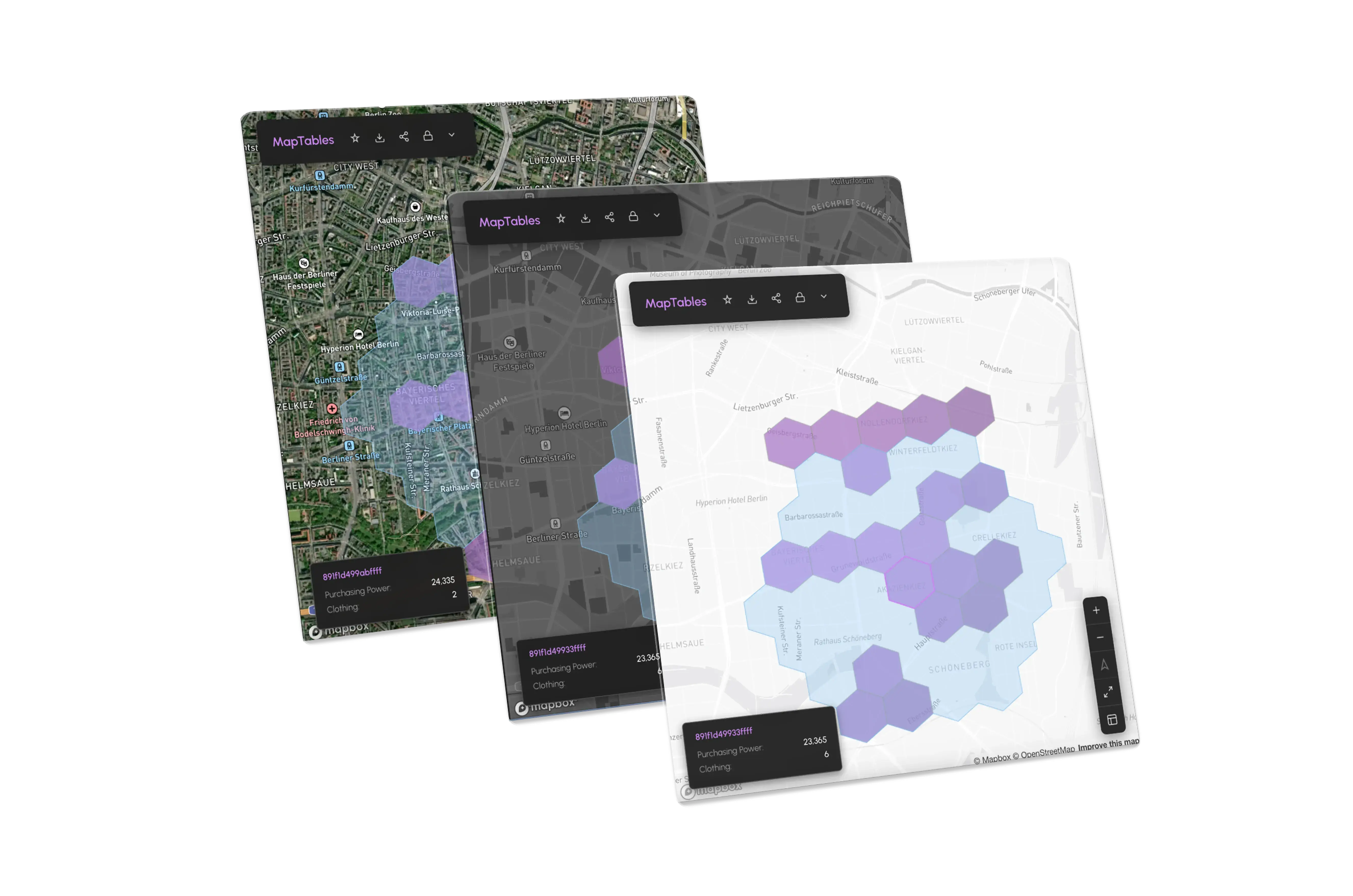
Walk, drive, and transit catchments to evaluate real accessibility around sites.
Existing store locations layered on top to analyze coverage, overlaps, and white space.
Population and demographic profiles within catchments to assess demand potential.
Add your own locations or datasets to evaluate sites in the context of your existing network.
Upload your own data — store locations, competitors, territories, sales metrics, and more — and use it just like built-in data. Everything is automatically mapped and immediately available for analysis.
Footfall and traffic indicators
Deeper accessibility and mobility context
Guided first-party data integration
Advanced network and scenario analysis

No. Mapular is built for teams who work with spreadsheets, not GIS tools.
If you’re comfortable using Excel or Google Sheets, you already understand how Mapular works. Analyses are created by adding columns, applying filters, and comparing rows, while the map stays automatically in sync in the background.
There’s no need to configure spatial tools, manage layers manually, or learn GIS concepts. Mapular handles the geospatial complexity for you, so teams can focus on decisions rather than tooling.
Mapular is built for multi site consumer brands where physical expansion is a core function.
Typical users include:
Expansion managers or heads of expansion
Founders or COOs overseeing rollout strategy
Finance or controlling teams reviewing site approvals
Franchise or regional partners involved in site selection
It is not designed for single location businesses or GIS specialists looking for low level spatial tooling.
Analyses in Mapular are built by adding columns, not configuring tools.
Each row represents a location or area. Columns hold the data and logic that matter for your decision, such as demographics, competition, catchment metrics, or your own performance indicators.
Teams add new columns from ready-to-use datasets or upload their own data. Filters and comparisons are applied directly in the table, and every change is reflected instantly on the map.
Once an evaluation setup is defined, it can be reused across markets and rollout cycles, making analyses consistent, repeatable, and easy to build on over time.
Mapular supports decisions such as:
Where to open next within an existing or new market
Which candidate sites should be prioritized or deprioritized
Where current store networks leave white space or overlap
How expansion decisions can be documented and justified for finance, leadership, and franchise partners
The product is designed to support repeatable expansion decisions with data-backed confidence.
Mapular provides ready-to-use location intelligence for Germany and the USA, including:
Points of interest such as competitors, anchors, and complementary businesses
Travel-time catchments for walking, driving, and public transport
Socio-demographic context within catchments
Coverage and network footprint views
These datasets are already harmonized so teams can compare regions and sites on a consistent basis.
Yes.
Teams can upload their own data manually, such as existing store locations or basic performance attributes, and use it alongside Mapular packaged datasets. This allows analyses to reflect each brand’s existing network and expansion context.
More advanced first-party data integrations are planned for later versions, but Mapular does not require complex integrations to deliver value.
Mapular combines packaged location intelligence with customer-provided data to support expansion decisions.
Today, Mapular includes ready-to-use datasets for Germany and the USA, such as:
points of interest, including anchors, complementary businesses, and competitors
travel-time catchments for walking, driving, and public transport
socio-demographic data describing who lives and works within each catchment
existing store locations to analyze coverage, overlaps, and white space
All datasets are pre-harmonized and designed to be usable without GIS expertise.
In addition, teams can upload their own data, such as store locations or basic performance indicators, to evaluate sites in the context of their existing network.
More advanced data layers, including footfall, traffic indicators, and deeper first-party data integrations, are planned for later phases and will build on the same decision workflows.
Mapular is designed around how expansion decisions are actually made.
Instead of treating location analysis as a one-off project or a specialist task, Mapular provides a reusable workspace where teams can evaluate markets, compare sites, and prepare decisions in a consistent way over time. The same data, criteria, and evaluation logic can be applied across regions and rollout cycles, so decisions build on prior work rather than starting from scratch.
Mapular focuses on turning location data into clear, shareable decision outputs. Ranked site lists, maps, and exports are designed to support discussions with finance, leadership, and franchise partners, helping teams move from analysis to approval with confidence.
This approach keeps expansion knowledge in-house and makes location intelligence a practical part of everyday decision-making.

We are a team of location intelligence and data analytics experts building decision tools for real world expansion.
We created Mapular after working with expansion teams that struggled to turn available market data into consistent, defensible decisions. The product brings location intelligence, structured evaluation workflows, and decision outputs into one workspace, so teams can plan and justify expansion decisions without GIS complexity.